
Sunspot, Solr, Rails: Working with Results

By Steph Skardal
December 12, 2011
Having worked with Sunspot and Solr in several large Rails projects now, I’ve gained some knowledge about working with result sets optimally. Here’s a brief explanation on working with results or hits from a search object.
MVC Setup
When working with Sunspot, searchable fields are defined in the model:
class Thing < ActiveRecord::Base
  searchable do
    text :field1, :stored => true
    text :field2
    string :field3, :stored => true
    integer :field4, :multiple => true
  end
end
The code block above will include field1, field2, field3, and field4 in the search index of things . A keyword or text search on things will search field1 and field2 for matches. field3 and field4 may be used for scoping, or limiting the search result set based to specific values of field3 or field4.
In your controller, a new search object is created with the appropriate scoping and keyword values, shown below. Pagination is also added inside the search block.
class ThingsController < ApplicationController
  def index
    @search = Sunspot.search(Thing) do
      #fulltext search
      fulltext params[:keyword]

      #scoping
      if params.has_key?(:field3)
        with :field3, …
rails search solr sunspot
Christmas Tree Commerce in 2011

By Brian J. Miller
December 9, 2011
Took a bit of a break today to get one of those perennial activities out of the way, the great Christmas tree shop. Much hasn’t changed about this time honored tradition, don the hats and gloves (well, at least until global warming takes over), pile the family in the car, and hit the ATM to get a bundle of cash to pass “under the table.” Not so fast, this is 2011 and Christmas tree lots aren’t what they used to be.
Rest assured much of the experience hasn’t changed, you still get to wade up and down aisles of freshly cut firs. Trying to select just the right balance of fat vs. thin, tall vs. short, density vs. ornament hanging potential, and there is still some haggling over price (if you are lucky) and the inevitable chainsawing, bundling, and twining to the top of the old station wagon (well, SUV). But today did have a big difference, and one that our e-commerce clients and more so our bricks and mortar clients should be particularly mindful, the “cash box” with the flip up lid and stacks of tens and twenties had been replaced by an iPad with a card reader. This Christmas tree lot has gone high tech, all the way. The iPad totaled the order, and with card reader attached, took my …
ecommerce mobile
Running Integration Tests in WebKit Without a Browser

By Mike Farmer
December 8, 2011
As your ruby web applications increase in UI complexity, they get harder to test using the standard Cucumber or even RSpec integration test suites. This is because of introduction of JavaScript in your UI. You’ve probably been there before. Here’s the use case: You’ve written your integration tests for your Rails app and up to this point, you’ve been able to get away with not tagging your cucumber scenarios with the “@javascript” tag. Everything is going smoothly and then it’s time to implement that one UI feature that is going to require an Ajax call or some javascript to hide or unhide a crucial piece of the user experience. This must be included in your integration tests.
So you go through the pain of setting up cucumber to work with selenium and tag your scenario as javascript so that it will run the test in the browser. At first, there’s this thrill of excitement as you get to see Firefox load, and then run through a series of steps, executing your tests and then seeing them pass. Job done.
But maybe there’s a different scenario at play here. What if you don’t do your development in an environment that has a browser? At End Point, we are strong advocates of doing development …
camps rails testing
Semaphore limits and many Apache instances on Linux

By Jon Jensen
December 7, 2011
On some of our development servers, we run many instances of the Apache httpd web server on the same system. By “many”, I mean 30 or more separate Apache instances, each with its own configuration file and child processes. This is not unusual on DevCamps setups with many developers working on many projects on the same server at the same time, each project having a complete software stack nearly identical to production.
On Red Hat Enterprise Linux 5, with somewhere in the range of 30 to 40 Apache instances on a server, you can run into failures at startup time with this error or another similar one in the error log:
[error] (28)No space left on device: Cannot create SSLMutexThe exact error will depend on what Apache modules you are running. The “space left on device” error does not mean you’ve run out of disk space or free inodes on your filesystem, but that you have run out of SysV IPC semaphores.
You can see what your limits are like this:
# cat /proc/sys/kernel/sem
250 32000 32 128
I typically double those limits by adding this line to /etc/sysctl.conf:
kernel.sem = 500 64000 64 256That makes sure you’ll get the change at the next boot. To make the change take immediate …
camps hosting linux redhat
Working with constants in Ruby

By Brian Buchalter
December 5, 2011
Ruby is designed to put complete power into the programmer’s hands and with great power comes great responsibility! This includes the responsibility for freezing constants. Here’s an example of what someone might THINK is happening by default with a constant.
class Foo
  DEFAULTS = [:a, :b]
end

#irb
default = Foo::DEFAULTS
default << :c
Foo::DEFAULTS #=> [:a, :b, :c]  WHOOPS!
As you can see, assigning a new variable from a constant lets you modify what you thought was a constant! Needless to say, such an assumption would be very difficult to track down in a real application. Let’s see how we might improve on this design. First, let’s freeze our constant.
class Foo
  DEFAULTS = [:a, :b].freeze
end

#irb
default = Foo::DEFAULTS
default << :c #=>  ERROR can't modify frozen array
Now we’ll get very specific feedback about offending code. The question is how can we use our constant now as a starting point for array, and still be able to modify it later? Let’s look at some more code.
Foo::DEFAULTS.frozen? #=> true
Foo::DEFAULTS.clone.frozen? #=> true, this was my first guess, but it turns out we need...
Foo::DEFAULTS.dup.frozen? #=> false
It’s worth …
ruby
Performing Bulk Edits in Rails: Part 2
By Brian Buchalter
December 3, 2011
This is the second article in the series on how to perform a bulk edit in Rails. Let’s recap our user’s story from Part 1.
-
User makes a selection of records and clicks “Bulk Edit” button
-
User works with the same form they would use for a regular edit, plus
- check boxes are added by each attribute to allow the user to indicate this variable should be affected by the bulk edit
- only attributes which are the same among selected records should be populated in the form
Part 1 addressed the first part of our user story. Now that we have our user’s selection, we need to create an interface to allow them to select attributes affected by the bulk edit. Let’s start with the form we’ll use to POST our input.
# app/controllers/bulk_edits_controller.rb

def new
  @foos = Foo.find(params[:stored_file_ids]) #params collected by work done in Part 1
  @foo = Foo.new
end

# app/views/bulk_edit/new.html.erb

<%= form_for @foo, :url => "/bulk_edits" do |f| %>
  <% @foos.each do |foo| %>
    <%= hidden_field_tag "foo_ids[]", foo.id %>
  <% end %>
  <%= render "foos/form", :f => f %>
  <%= f.submit %>
<% end  %>
Let’s first …
rails
Kamelopard Release

By Josh Tolley
November 30, 2011

After completing no small amount of refactoring, I’m pleased to announce a new release of Kamelopard, a Ruby gem for generating KML. KML, as with most XML variants, requires an awful lot of typing to write by hand; Kamelopard makes it all much easier by mechanically generating all the repetitive XML bits and letting the developer focus on content. An example of this appears below, but first, here’s what has changed most recently:
- All KML output comes via Ruby’s REXML library, rather than simply as string data that happens to contain XML. This not only makes it much harder for Kamelopard developers to mess up basic syntax, it also allows examination and modification of the KML data using XML standards such as XPath.
- Kamelopard classes now live within a module, preventing namespace collisions. This is important for any large-ish library, and probably should have been done all along. Previous to this, some classes had awfully strange names designed to prevent namespace collisions; these classes have been changed to simpler, more intuitive names now that collisions aren’t a problem.
- Perhaps the biggest change is the incorporation of a large and (hopefully) comprehensive test suite. …
visionport open-source ruby kamelopard kml
Book Recommendation: Ghost in the Wires
By Steph Skardal
November 29, 2011
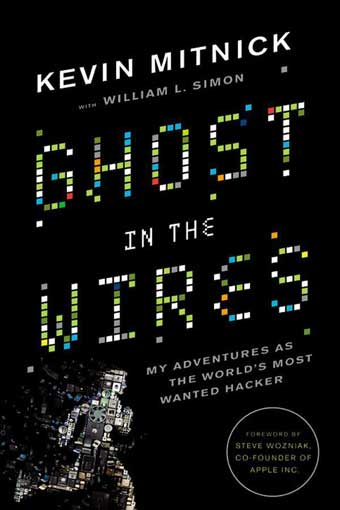
I recently listened to Ghost in the Wires by Kevin Mitnick as an audiobook during my long Thanksgiving vacation drives. This non-fiction book is a first-person account about Kevin Mitnick’s phone and computer break-in (or what he claims to be ethical hacking) adventures in the late eighties and early nineties, and it touches on the following legal proceedings from 1995 on. A couple of interesting things stood out to me:
- Kevin’s tactics revolve around social engineering, or techniques that capitalize on flaws in “human hardware” to gain information. The book was an eye opener in terms of how easily Kevin gained access to systems, as there are countless examples of Kevin’s ability to gain credibility, pretext, introduce diversions, etc.
- Another highlight of the book for me was learning details of how bug reports were exploited to gain sensitive information. Kevin gained access to bug reports on proprietary software to exploit the software and gain access to the systems running the software. I don’t think of my own clients’ bug reports as an extremely valuable source of information for exploiting vulnerabilities to gain user information, but there have been a few instances in the …
books security