
Testing Django Applications

By Zdeněk Maxa
December 14, 2015
This post summarizes some observations and guidelines originating from introducing the pytest unit testing framework into our CMS (Content Management System) component of the Liquid Galaxy. Our Django-based CMS allows users to define scenes, presentations and assets (StreetView, Earth tours, panos, etc) to be displayed on the Liquid Galaxy.
The purpose of this blog post is to capture my Django and testing study points, summarize useful resource links as well as to itemize some guidelines for implementing tests for newcomers to the project. It also provides a comparison between Python’s standard unittest library and the aforementioned pytest. Its focus is on Django database interaction.
Versions of software packages used
This post describes some of our experiences at End Point in designing and working on comprehensive QA/CI facilities for a new system which is closely related to the Liquid Galaxy.
The experiments were done on Ubuntu Linux 14.04:
- python (2.7.6) and its corresponding version of unittest
- django 1.7 (current recent is 1.9 but our CMS uses still 1.7 version)
- pytest-django 2.8.0
- pytest 2.7.2 (with py 1.4.30)
- virtualenv 13.1.2
- factory_boy 2.6.0
Testing Django …
django jenkins python testing cms visionport
Image Processing In The Cloud With Blitline and Wordpress

By Marina Lohova
December 1, 2015
Working with ImageMagick can be difficult. First, you have to get it installed on your OS (do you have Dev libs in place?), then you have to enable it in the language of your choice, then get it working in your application. After all that, do it all over again on the staging server where debugging may be complicated, and you may not have Admin rights. Meet Image Processing in the Cloud. Meet Blitline.
I’m doing a lot of things with Wordpress now, so we’ll set it up with Wordpress and PHP.
Step 1
Get a free developer account with Blitline, and note your application id.
Step 2
Get the Blitline PHP wrapper library Blitline_php. It’s clean and awesome, but unfortunately at the time of writing it was missing a few things, like being able to run your own Image Magick script and set a postback URL for when the job is finished. Yes, those are all useful features of Blitline cloud image processing! I’m still waiting on my pull request to be incorporated into the official version, so you can use mine that has these two useful features for now in my Blitline_php
Step 3
Now it’s time to integrate it in our application. Since it’s Wordpress, I’m doing it in the …
cloud imagemagick php wordpress
Odd pg_basebackup Connectivity Failures Over SSL

By Josh Williams
November 13, 2015
A client recently came to me with an ongoing mystery: A remote Postgres replica needed replaced, but repeatedly failed to run pg_basebackup. It would stop part way through every time, reporting something along the lines of:
pg_basebackup: could not read COPY data: SSL error: decryption failed or bad record macThe first hunch we had was to turn off SSL renegotiation, as that isn’t supported in some OpenSSL versions. By default it renegotiates keys after 512MB of traffic, and setting ssl_renegotiation_limit to 0 in postgresql.conf disables it. That helped pg_basebackup get much further along, but they were still seeing the process bail out before completion.
The client’s Chef has a strange habit of removing my ssh key from the database master, so while that was being fixed I connected in and took a look at the replica. Two pg_basebackup runs later, a pattern started to emerge:
$ du -s 9.2/data.test*
67097452        9.2/data.test
67097428        9.2/data.test2
While also being a nearly identical size, those numbers are also suspiciously close to 64GB. I like round numbers, when a problem happens close to one that’s often a pretty good tell of some boundary or limit. On a hunch that …
postgres replication tls sysadmin
Broken wikis due to PHP and MediaWiki “namespace” conflicts

By Greg Sabino Mullane
November 9, 2015

I was recently tasked with resurrecting an ancient wiki. In this case, a wiki last updated in 2005, running MediaWiki version 1.5.2, and that needed to get transformed to something more modern (in this case, version 1.25.3). The old settings and extensions were not important, but we did want to preserve any content that was made.
The items available to me were a tarball of the mediawiki directory (including the LocalSettings.php file), and a MySQL dump of the wiki database. To import the items to the new wiki (which already had been created and was gathering content), an XML dump needed to be generated. MediaWiki has two simple command-line scripts to export and import your wiki, named dumpBackup.php and importDump.php. So it was simply a matter of getting the wiki up and running enough to run dumpBackup.php.
My first thought was to simply bring the wiki up as it was—all the files were in place, after all, and specifically designed to read the old version of the schema. (Because the database scheme changes over time, newer MediaWikis cannot run against older database dumps.) So I unpacked the MediaWiki directory, and prepared to resurrect the database. …
mediawiki php
Liquid Galaxy at UNESCO in Paris

By Dave Jenkins
November 9, 2015
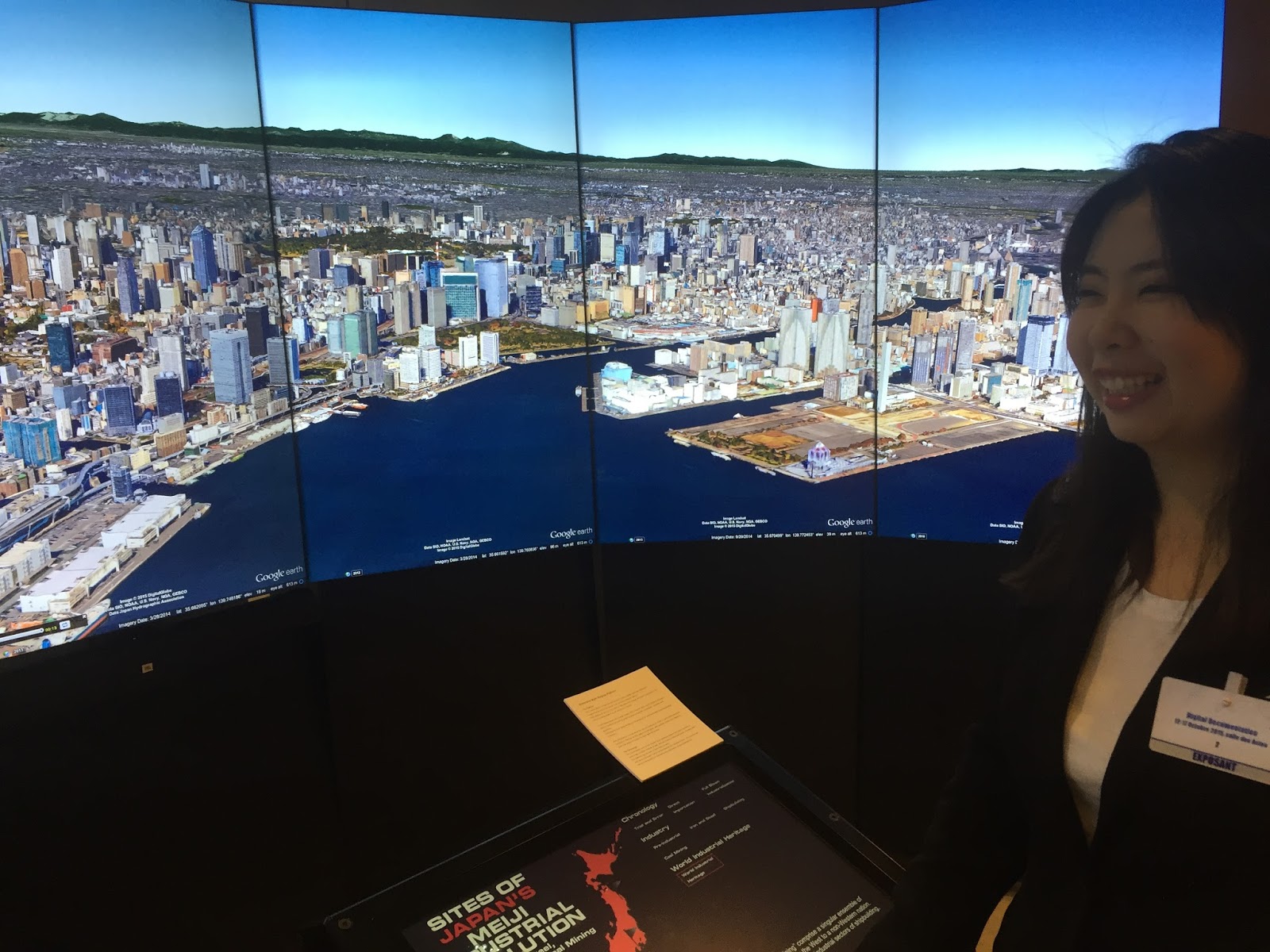
The National Congress of Industrial Heritage of Japan (NCoIH) recently deployed a Liquid Galaxy at UNESCO Headquarters in Paris, France. The display showed several locations throughout southern Japan that were key to her rapid industrialization in the late 19th and early 20th century. Over the span of 30 years, Japan went from an agrarian society dominated by Samurai still wearing swords in public to an industrial powerhouse, forging steel and building ships that would eventually form a world-class navy and an industrial base that still dominates many lead global industries.
End Point assisted by supplying the servers, frame, and display hardware for this temporary installation. The NCoIH supplied panoramic photos, historical records, and location information. Together using our Roscoe Content Management Application, we built out presentations that guided the viewer through several storylines for each location: viewers could see the early periods of Trial & Error and then later industrial mastery, or could view the locations by technology: coal mining, shipbuilding, and steel making. The touchscreen interface was custom-designed to allow a self-exploration among these …
event visionport ros
Taking control of your IMAP mail with IMAPFilter

By Patrick Lewis
November 6, 2015
Organizing and dealing with incoming email can be tedious, but with IMAPFilter’s simple configuration syntax you can automate any action that you might want to perform on an email and focus your attention on the messages that are most important to you.
Most desktop and mobile email clients include support for rules or filters to deal with incoming mail messages but I was interested in finding a client-agnostic solution that could run in the background, processing incoming messages before they ever reached my phone, tablet or laptop. Configuring a set of rules in a desktop email client isn’t as useful when you might also be checking your mail from a web interface or mobile client; either you need to leave your desktop client running 24/7 or end up with an unfiltered mailbox on your other devices.
I’ve configured IMAPFilter to run on my home Linux server and it’s doing a great job of processing my incoming mail, automatically sorting things like newsletters and automated Git commit messages into separate mailboxes and reserving my inbox for higher priority incoming mail.
IMAPFilter is available in most package managers and easily configured with a single ~/.imapfilter/config.lua …
email sysadmin
Biennale Arte 2015 Liquid Galaxy Installation

By Brian Zenone
November 5, 2015
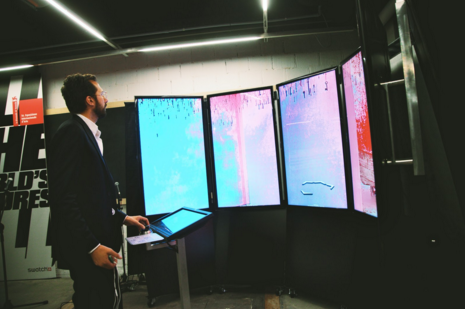
If there is anyone who doesn’t know about the incredible collections of art that the Google Cultural Institute has put together, I would urge them to visit google.com/culturalinstitute and be overwhelmed by their indoor and outdoor Street View tours of some of the world’s greatest museums. Along these same lines, the Cultural Institute recently finished doing a Street View capture of the interior of 70 pavilions representing 80 countries of the Biennale Arte 2015, in Venice, Italy. We, at End Point, were lucky enough to be asked to come along for the ride: Google decided that not only would this Street View version of the Biennale be added to the Cultural Institute’s collection, but that they would install a Liquid Galaxy at the Biennale headquarters, at Ca’ Giustinian on the Grand Canal, where visitors can actually use the Liquid Galaxy to navigate through the installations. Since the pavilions close in November 2015, and the Galaxy is slated to remain open until the end of January 2016, this will permit art lovers who missed the Biennale to experience it in a way that is astoundingly firsthand.
End Point basically faced two challenges during the Liquid Galaxy Installations for …
event visionport
End Pointers’ Favorite Liquid Galaxy Tours

By Ben Witten
November 4, 2015
The Liquid Galaxy is an open source project founded by Google and further developed by End Point along with contributions from others. It allows for “viewsyncing” multiple instances of Google Earth and Google Maps (including Street View) and other applications that are configured with geometric offsets that allow multiple screens to be set up surrounding users of the system. It has evolved to become an ideal data visualization tool for operations, marketing, and research. It immerses users in an environment with rich satellite imagery, elevation data, oceanic data, and panoramic images.
End Point has had the opportunity to make incredible custom presentation for dozens of clients. I had a chance to connect with members of the End Point Liquid Galaxy team, and learn about which presentations they enjoyed making the most.
Rick Peltzman, CEO
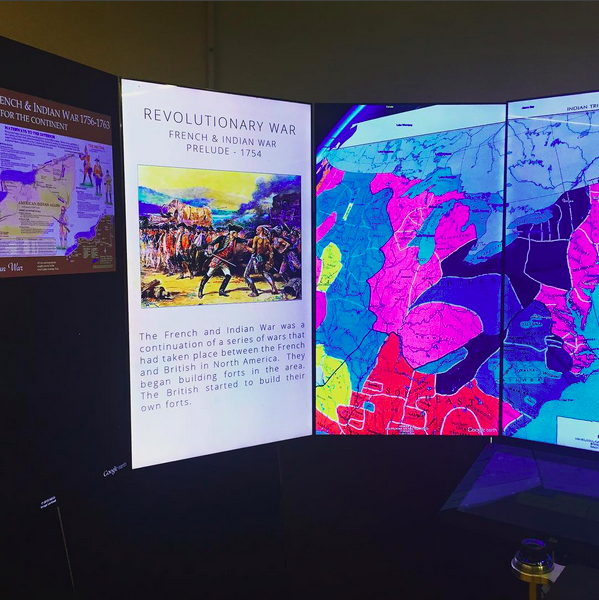
One of the most exciting presentations we made was for my son’s 4th grade history class. They were learning about the American Revolution. So, I came up with the storyboard, and TJ in our NYC office created the presentation. He gathered documents, maps of the time, content (that the kids each took turns reading), drawings and paintings, and put …
visionport