
Showing Your Client Measurable Progress with Video Updates

By Elizabeth Garrett Christensen
July 28, 2016
I’ve recently started working on a big new fancy project—the kind everyone dreams of—a nice budget, a great client, and lots of fun stuff to dig into. I happened to stumble on a fun and easy way to get a client a weekly update on progress, Videos!
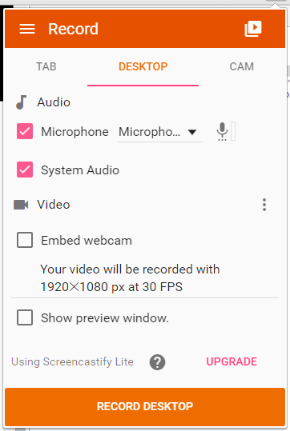
I used Google Chrome’s Screencastify app to capture my screen along with a vocal narrative to give the client a visual update of what we have accomplished so far this week. I have been using Screencastify Lite and was really happy with the end product. Combined with Google’s developer tools device mode you can toggle between the site’s full screen or mobile view.
This is a great tool to show a client some measurable progress without going through the pain of showing them an unfinished site, letting them dig into lots of broken links, and having them inevitably stumble on more questions than answers. Plus, your client can digest the content you’ve shown them, avoid the hassle of scheduling a face to face demo, and allow them some time to compose their feedback.
Next time you need an easy fast way to show progress on a project, try a video!
clients video
Report on The Perl Conference 2016

By Josh Lavin
July 27, 2016
In June, I traveled to Orlando, Florida to attend the event formerly known as Yet Another Perl Conference (or YAPC::NA), now known as The Perl Conference. This was my second time in a row to attend this conference (after my first attendance back in 2007).
Conferences are a great place to learn how others are using various tools, hear about new features, and interact with the community. If you are speaking, it’s a great opportunity to brush up on your subject, which was true for me in the extreme, as I was able to give a talk on the PostgreSQL database, which I hadn’t used in a long time (more on that later).
The conference name
The event organizers were able to license the name The Perl Conference from O’Reilly Media, as O’Reilly doesn’t hold conferences by this name anymore. This name is now preferred over “YAPC” as it is more friendly to newcomers and more accurately describes the conference. More on the name change.
Notes from the conference
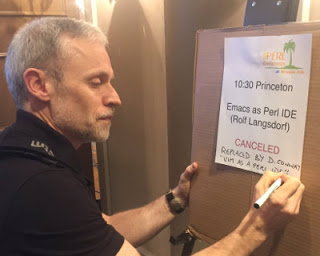
Over the three days of the conference, I was able to take in many talks. Here are some of my more interesting notes from various sessions:
Yes, this is happening @YAPCNA
— Jason Hall (@JayceHall) …
conference perl vim
Case Study: Responsive Design Return on Investment
By Elizabeth Garrett Christensen
July 21, 2016
Responsive design has been a hot topic in the e-commerce world for several years now. End Point has worked on many sites over the last few years to transition clients to a responsive design website model. While many large sized retailers have already transitioned to a responsive design, there are many smaller e-commerce sites that are still on an older design model and I would like to show that the return on investment for those stores is still noteworthy.
The lead of our Interchange team, Greg Hanson, led a responsive design project and I’d like to summarize that work on our blog. For confidentiality, I am leaving out the client’s name in this case.
Why Go Responsive?
There are two main reasons every e-commerce website, even a small one, needs to become responsive:
- Your customers
The march toward mobile sales at this point is undeniable and unstoppable. As more and more people become comfortable using their phones and tablets to purchase things, the bigger this market share will become. Also, Google has begun de-prioritizing websites that do not cater to mobile users. If you are waiting to go responsive because of budget, you might surprised to learn how dramatically the …
clients design mobile case-study
Liquid Galaxy Featured on Reef Builders

By Ben Witten
July 21, 2016
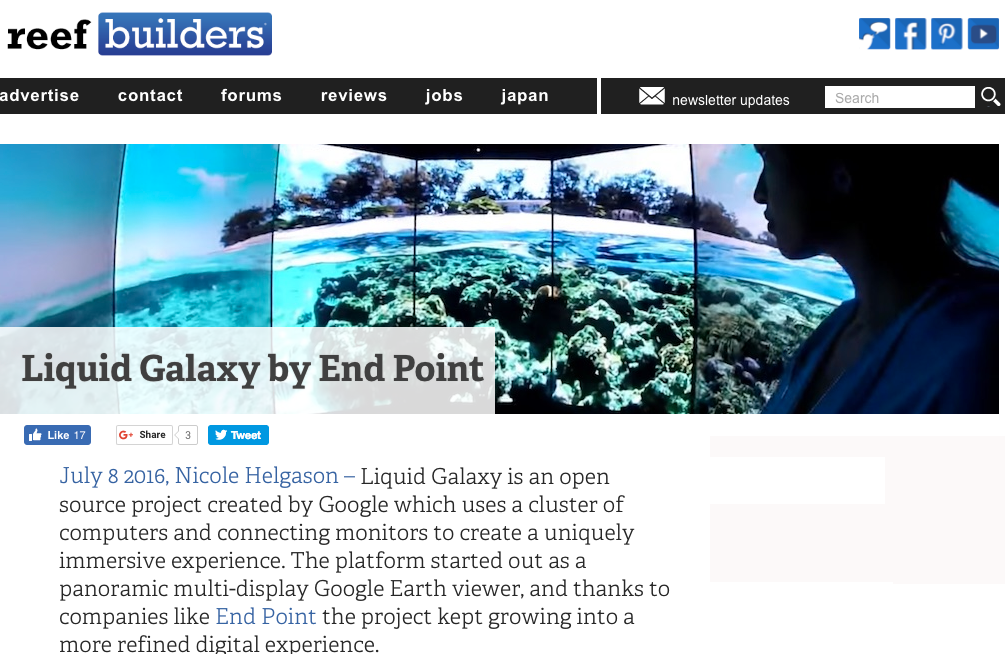
The Liquid Galaxy was recently featured on the front page of Reef Builders, the original and longest running saltwater fish blog and a leading source of aquarium news. Reef Builders writer Nicole Helgason wrote the story, which can be found here.
The Liquid Galaxy is an amazing tool for aquariums (not to mention other kinds of museums, offices, educational institutions, and more) around the world. It is a particularly effective for aquariums due to the underwater imagery shown on the system, as well as End Point’s Content Management System that allows users the opportunity to tell underwater “stories” with supporting images, videos, and content. We have deployed to aquariums and science museums throughout the US, Europe, and East Asia.
The Liquid Galaxy lets visitors explore coral reefs and underwater environments the exact same way they navigate Street View (it’s the same app and data set) with a full set of screens to give a totally immersive experience. While viewing the dazzling immersive display, the user can make use of the Liquid Galaxy touchpad and 3D joystick to look around and navigate through the display.
A video demonstrating how the Liquid Galaxy is utilized in …
visionport
Poor Man’s Linux Remote Desktop Using VNC Server

By Ed Huott
July 21, 2016
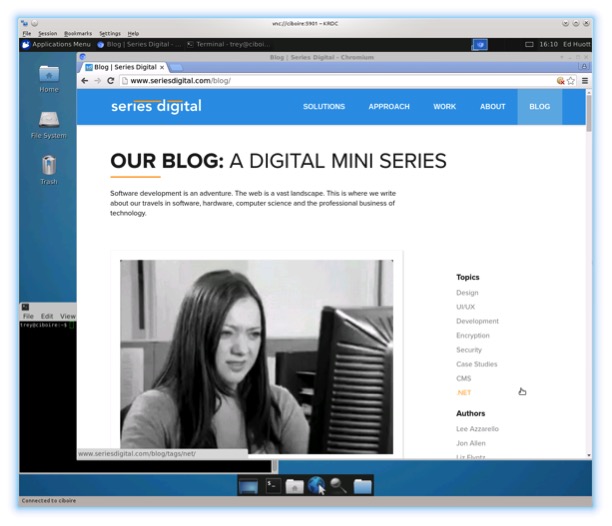
Even the most hardcore Linux hackers want to run GUI applications sometimes. The problem is how do you do that with Linux when it’s running on a remote server with no access to the console?
Remote Desktop is a built-in feature of Windows Server that lets you access a virtual remote desktop session that’s not tied to a physical console. Many would be tempted to believe that most Linux distributions don’t come with this kind of functionality out of the box. Au contraire! This article explains one method for accessing this feature using only packages included in most stock Linux installations. The examples given here are based on Debian/Ubuntu.
The core ingredient of our recipe is the vnc4server package, which includes Xvnc, the X VNC (Virtual Network Computing) server. A description of what that is comes right from the Xvnc(1) manual page itself:
Xvnc is the X VNC (Virtual Network Computing) server. It is based on a standard X server, but it has a “virtual” screen rather than a physical one. X applications display themselves on it as if it were a normal X display, but they can only be accessed via a VNC viewer - see vncviewer(1).
So Xvnc is really two servers in one. To the …
development linux remote-work
Book review: “Two Scoops of Django: Best Practices for Django 1.8”

By Phineas Jensen
July 13, 2016
Two Scoops of Django: Best Practices for Django 1.8 is, shockingly, a book about best practices. It’s not a Django library reference, or a book about Django fundamentals, or tips and tricks. It’s a book designed to help web developers, novices and experts alike, avoid common pitfalls in every stage of the web development process, specifically the process of developing with Django.
The book can be used as a reference of best practices and a cover-to-cover guide to best practices. I’ve done both and found it to be enjoyable, accessible, and educational when read cover-to-cover and a valuable reference when setting up a new Django project or doing general Django development. It covers a huge range of material, answering questions like:
- Where should I store secret keys?
- Should I use virtualenv?
- How should I structure my Django project?
- When should I use ‘blank’ and ‘null’ in model fields?
- Should I use Class-Based Views or Function-Based Views?
- How should I structure my URLConfs?
- When should I use Forms?
- Where should templates be stored?
- Should I write custom template tags and filters?
- What package should I use to create a REST API?
- What core components should I replace?
- How can I …
books django
Cesium on the Liquid Galaxy

By Dave Jenkins
July 13, 2016
Data visualization continues to evolve, with ever-more complex data sets available openly, and a corresponding increased pace in visualization tools. In mapping GIS data, the Cesium app is gaining quite a bit of traction. As we continue to branch out with new functionality and visualization apps for the Liquid Galaxy, we wanted to try the Cesium app as well.
Cesium is written all in JavaScript WebGL and offers some nice advantages over other engines: it’s open source, it’s flexible, and it’s quick. It can accept an array of points, shapefiles, 3D models, and even KML. The JavaScript then chews these up and delivers a nice consistent 3D environment that we can fly through with the SpaceNav controller, set scenes in a presentation to tell a story, or mix together with video or graphic popups for a fully immersive multimedia experience. Cesium is open source, and provides a great deal of flexibility and accessibility to build different kinds of data visualizations and interactions. There are a lot of new startups exploiting this platform and we welcome the opportunity to work with them.
As we’ve written previously, the main advantage of the Liquid Galaxy platform is the ability to …
cesium visualization javascript visionport
Disabling Postgres constraints for pg_dump

By Greg Sabino Mullane
July 13, 2016
Constraints in Postgres are very powerful and versatile: not only are foreign keys, primary keys, and column uniqueness done internally via constraints, but you may create your own quite easily (at both the column and table level). Most of the time constraints are simply set and forget, but there is one time constraints may become a problem: copying the database using the pg_dump program.
The issue is that constraints are usually added before the data is copied to the new table via the COPY command. This means the constraint fires for each added row, to make sure that the row passes the conditions of the constraint. If the data is not valid, however, the COPY will fail, and you will not be able to load the output of your pg_dump into a new database. Further, there may be a non-trivial performance hit doing all that validation. Preventing the constraint from firing may provide a significant speed boost, especially for very large tables with non-trivial constraints.
Let’s explore one way to work around the problem of pg_dump failing to work because some of the data is not valid according to the logic of the constraints. While it would be quicker to make some …
postgres