
Liquid Galaxy for Hyundai Card Travel Library

By Dave Jenkins
June 10, 2016
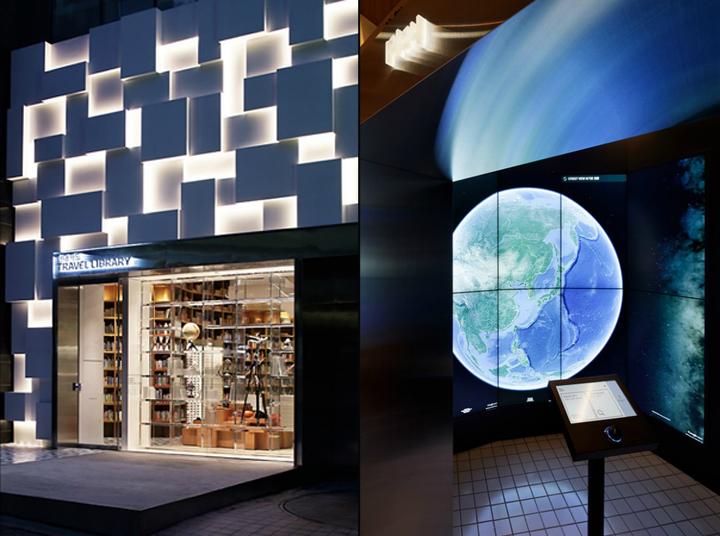 |
| image courtesy of retaildesignblog |
End Point and AZero, a South Korean system integrator, have partnered to deploy a 10-screen Liquid Galaxy to the newly-opened Hyundai Card Travel Library in Seoul, South Korea. This project presented a number of unique challenges for our teams, but we have launched successfully, to the great satisfaction of AZero’s client.
The Hyundai Card Travel Library is an incredible space: wall-to-wall maple bookshelves hold travel brochures, photo books, and other travel-related material. The Liquid Galaxy displays itself sits in a small alcove off the main library space. Being fully enclosed, viewers can control the lighting and get a full immersion experience through the two rows of five 47" screens arrayed in an wall-mounted semi-circle arc. The viewer can control the screens via the podium-mounted touchscreen and SpaceNav mouse controller.
We solved several technical challenges for this deployment: the extremely tight space made cabling and display configuration tricky. Also, this isn’t a “standard” 7-screen single row deployment, but rather two rows of 5 screens each. Working with AZero, End Point reconfigured the Liquid Galaxy display …
visionport travel
Talking UI/UX with Trey McKay

By Liz Flyntz
June 7, 2016
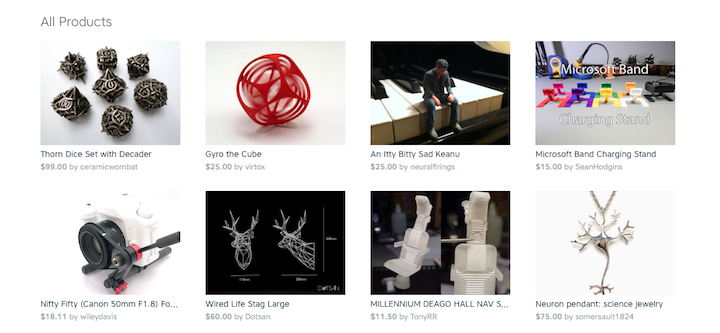
Trey McKay was kind enough to let me ask him a bunch of questions. Trey’s an Interaction Designer at Shapeways, which is a global 3D printing service and marketplace.
Trey focuses on designing and building experiences for turning 3D designs into 3D printed products. He’s worked on everything from site-wide navigation redesigns to a suite of 3D tools, which help product designers identify and fix potential issues in their designs before they go into manufacturing. If you want to stalk him on the Internet, check out his personal site or holler at him on the Twitter @trey_mckay.
Liz Flyntz: What is the thing that is most misunderstood about user interface and user experience design, in your opinion?
Trey McKay: In general, I’ve noticed that a lot of folks think that the role of a designer is to “make something pretty”. From coworkers to general public, I think there is a common misconception about what design is, how important it is, and what we as UX/UI designers do on the day-to-day.
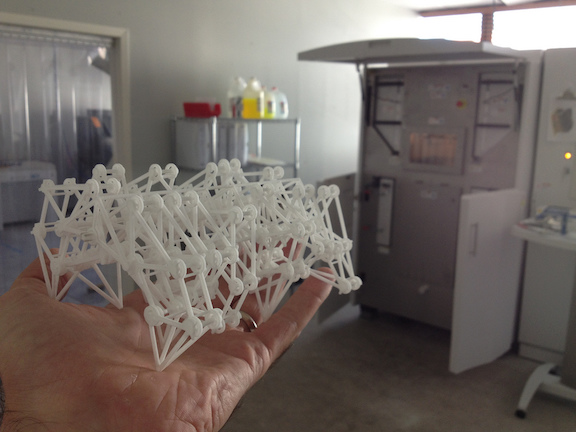
Design is how something works. Good design is transparent, as the saying goes, because when something is properly designed, it’s not getting in the user’s way. Well-designed products and services help …
art ecommerce testing community
Adding Bash Completion To a Python Script

By Szymon Lipiński
June 3, 2016
Bash has quite a nice feature, you can write a command in a console, and then press
I will show how to integrate this mechanism into a custom python script with two types of arguments. What’s more, I want this to be totally generic. I don’t want to change it when I will change the options, or change config files.
This script accepts two types of arguments. One type contains mainly flags beginning with ‘–’, the other type is a host name taken from a bunch of chef scripts.
Let’s name this script show.py—it will show some information about the host. This way I can use it with:
show.py szymonThe szymon part is the name of my special host, and it is taken from one of our chef node definition files.
This script also takes huge number of arguments like:
show.py --cpu --memory --format=jsonSo we have two kinds of arguments: one is a simple string, one begins with –.
To implement the bash completion on double
#!/usr/bin/env python

from sys import argv
import os
import json

if __name__ == …
shell python
The merchant login ID or password is invalid or the account is inactive, and to how to fix it in Spree

By Matt Galvin
June 2, 2016
Authorize.net has disabled the RC4 cipher suite on their test server. Their production server update will follow soon. So, in order to ensure your, or your client’s, site(s) do not experience any interruption in payment processing it is wise to place a test order in the Authorize.net test environment.
The projects I was testing were all Spree Gem (2.1.x). The Spree Gem uses the ActiveMerchantGem (in Spree 2.1.x it’s ActiveMerchant version 1.34.x). Spree allows you to sign into the admin and select which server your Authorize.net payment method will hit- production or test. There is another option for selecting a “Test Mode” transaction. The difference between a test server transaction and a test mode transaction is explained quite succinctly on the Authorize.net documentation. To summarize it, test server transactions are never sent to financial institutions for processing but are stored in Authorize.net (so you can see their details). Transactions in test mode however are not stored and return a transaction ID of zero.
I wanted to use my Authorize.net test account to ensure my clients were ready for the RC4 cipher suite disablement. I ran across a few strange things. First, for …
payments spree ecommerce
Bucardo replication workarounds for extremely large Postgres updates

By Greg Sabino Mullane
May 31, 2016

Bucardo is very good at replicating data among Postgres databases (as well as replicating to other things, such as MariaDB, Oracle, and Redis!). However, sometimes you need to work outside the normal flow of trigger-based replication systems such as Bucardo. One such scenario is when many changes need to be made to your replicated tables. And by a lot, I mean many millions of rows. When this happens, it may be faster and easier to find an alternate way to replicate those changes.
When a change is made to a table that is being replicated by Bucardo, a trigger fires and stores the primary key of the row that was changed into a “delta” table. Then the Bucardo daemon comes along, gathers a list of all rows that were changed since the last time it checked, and pushes those rows to the other databases in the sync (a named replication set). Although all of this is done in a fast and efficient manner, there is a bit of overhead that adds up when (for example), updating 650 million rows in one transaction.
The first and best solution is to simply hand-apply all the changes yourself to every database you are replicating to. By disabling the Bucardo triggers …
bucardo postgres database
A caching, resizing, reverse proxying image server with Nginx

By Marco Matarazzo
May 25, 2016
While working on a complex project, we had to set up a caching reverse proxying image server with the ability of automatically resize any cached image on the fly.
Looking around on the Internet, we discovered an amazing blog post describing how Nginx could do that with a neat Image Filter module capable of resizing, cropping and rotating images, creating an Nginx-only solution.
What we wanted
What we wanted to achieve in our test configuration was to have a URL like:
http://www.example.com/image/
…that would retrieve the image at:
…then resize it on the fly, cache it and serve it.
Our setup ended up being almost the same as the one in that blog post, with some slight differences.
Requirements installation
First, as the post points out, the Image Filter module is not installed by default on many Linux distributions. As we’re using Nginx’s official repositories, it was just a matter of installing the nginx_module_image_filter package and restarting the service.
Cache Storage configuration
Continuing following the post’s great instructions, we set up the cache in our main http section, tuning each parameter to fit ur specific needs. We …
nginx
How to Add Labels to a Dimple JS Line Chart
By Matt Galvin
May 17, 2016
I was recently working on a project that was using DimpleJS, which the docs describe as “An object-oriented API for business analytics powered by d3”. I was using it to create a variety of graphs, some of which were line graphs. The client had requested that the line graph display the y-value of the line on the graph. This is easily accomplished with bar graphs in Dimple, however, not so easily done with line graphs.
I had spent some time Googling to find what others had done to add this functionality but could not find it anywhere. So, I read the documentation where they add labels to a bar graph, and “tweaked” it like so:
var s = myChart.addSeries(null, dimple.plot.line);
.
.
.
/*Add prices to line chart*/
s.afterDraw = function (shape, data) {
  // Get the shape as a d3 selection
  var s = d3.select(shape);
  var i = 0;
  _.forEach(data.points, function(point) {
    var rect = {
    x: parseFloat(point.x),
    y: parseFloat(point.y)
  };
  // Add a text label for the value
  if(data.markerData[i] != undefined) {
    svg.append("text")
    .attr("x", rect.x)
    .attr("y", rect.y - 10)
    // Centre align
    .style("text-anchor", "middle") …
visualization javascript
Randomized Queries in Ruby on Rails

By Kent Krenrich
May 12, 2016
I was recently asked about options for displaying a random set of items from a table using Ruby on Rails. The request was complicated by the fact that the technology stack hadn’t been completely decided on and one of the items still up in the air was the database. I’ve had an experience with a project I was working on where the decision was made to switch from MySQL to PostgreSQL. During the switch, a sizable amount of hand constructed queries stopped functioning and had to be manually translated before they would work again. Learning from that experience, I favor avoidance of handwritten SQL in my Rails queries when possible. This precludes the option to use built-in database functions like rand() or random().
With the goal set in mind, I decided to look around to find out what other people were doing to solve similar requests. While perusing various suggested implementations, I noticed a lot of comments along the lines of “Don’t use this approach if you have a large data set.” or “this handles large data sets, but won’t always give a truly random result.”
These comments and the variety of solutions got me thinking about evaluating based not only on what database is in use, but …
database ruby rails